Business ETC uses cookies. By continuing to browse this site you are agreeing to our use of cookies. Click here to find out more »
Dublin: 10 °C Saturday 25 May, 2013

15 tips and tricks for your new Android phone

Get the most out of it.

PART OF THE beauty of smartphones running Google’s Android operating system is that they allow a deeper level of customisation.

That can be pretty confusing for some people.

If you got a new Android phone for Christmas, here are a few quick tips to get you started.

Note: All Android phones are different. Each manufacturer alters the software a bit, so the screenshots here may look a little different than the phone you have. Just keep in mind that the basics are essentially the same on most devices. We used HTC’s One X+ for this demonstration.

See also: 15 tips and tricks for your new iPhone>

15 tips and tricks for your new Android phone
1 / 15
  • Tips and tricks for Android

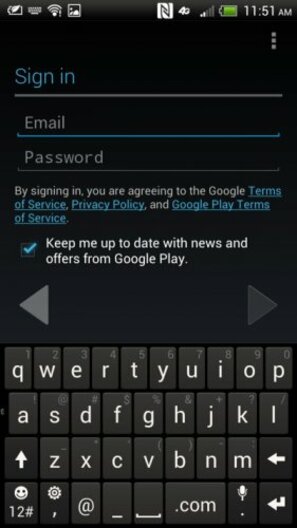
    When you first turn on your Android phone, you should sign in using your Google Account. This is the same account you use to log into Gmail. When you sync your phone with your Gmail account, your browsing history, calendar, email, etc. will be waiting for you.
  • Tips and tricks for Android

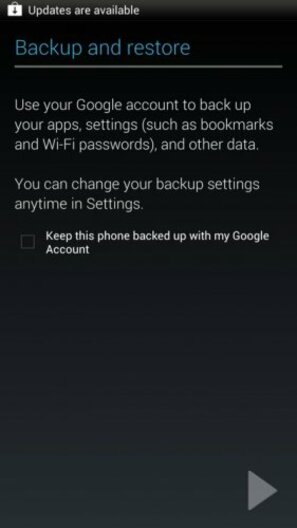
    You should also agree to back up your phone's data to your Google Account. That way if you lose or have to reset your phone, you can quickly retrieve your settings.
  • Tips and tricks for Android

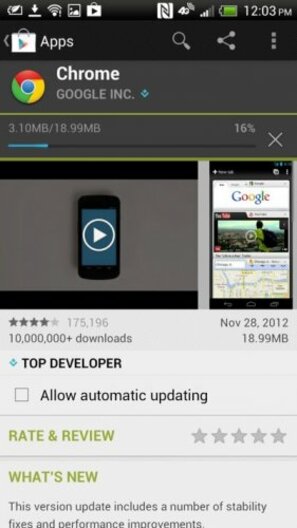
    Whenever you download a new app from the Google Play store, you should check the box that says "Allow automatic updating." That way your apps will update to the latest version without asking permission. It'll save you a lot of time.
  • Tips and tricks for Android

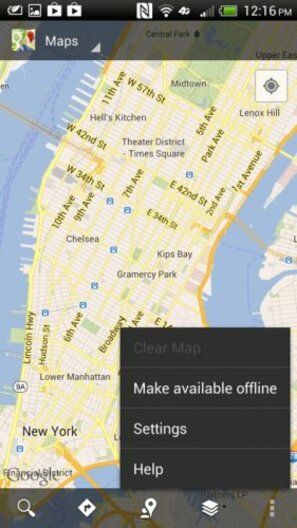
    Google Maps lets you store maps offline so you don't eat up your data plan while navigating. When connected to Wi-Fi, open Google Maps, select the area you want to store offline, tap the three dots in the bottom right of your screen, and tap "Make available offline."
  • Tips and tricks for Android

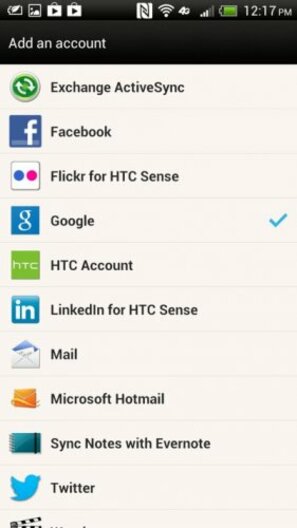
    In the Settings app, you can sync your Android phone with popular online networks and services like Facebook. The more you add, the easier it is to share stuff like photos.
  • Tips and tricks for Android

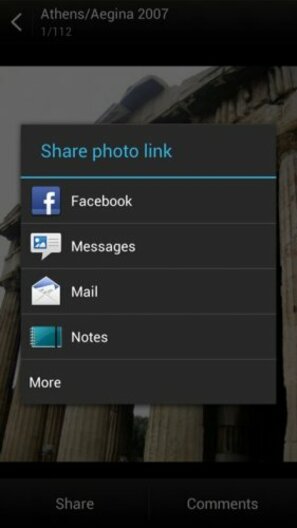
    See? You can easily share photos from your phone on Facebook and other major services without launching the app. As you install more apps on your phone, you'll notice more options in this window.
  • Tips and tricks for Android

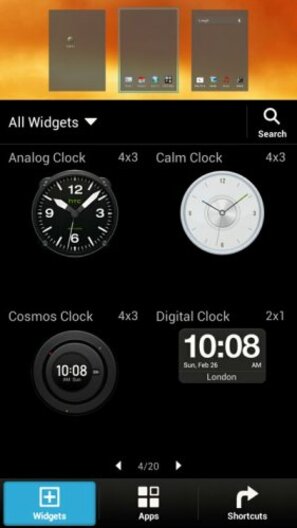
    Widgets are apps that live on your home screen and provide real-time information like news and weather. You can tap and drag them on your screen from your phone's Widgets menu.
  • Tips and tricks for Android

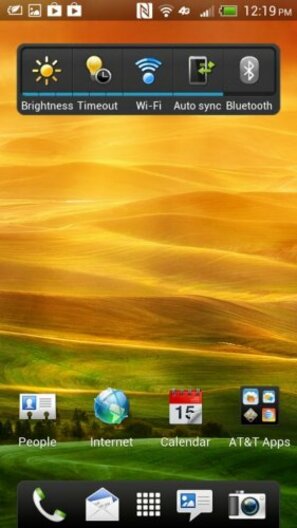
    All Android phones come with this handy widget that lets you control Wi-Fi, brightness, and other basic functions right from your home screen. Use it!
  • Tips and tricks for Android

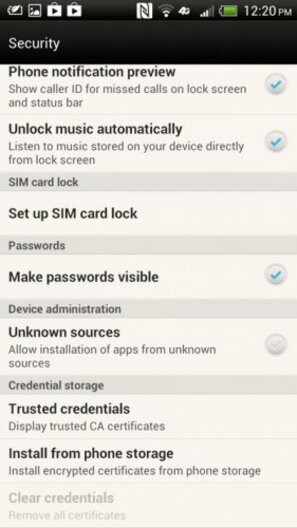
    Under your security settings, you can allow your phone to install apps from unknown sources. That means apps you find on websites or alternative app stores like the one Amazon offers. Just be careful because allowing unknown apps on your phone could make your device more prone to malware.
  • Tips and tricks for Android

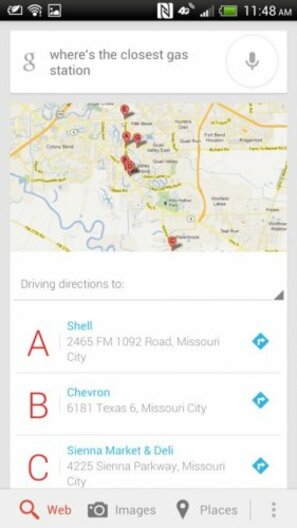
    The newest Android phones come with a voice-controlled assistant called Google Now. It acts a search tool, but can also remind you of appointments, get you directions, and find sports scores.
  • Tips and tricks for Android

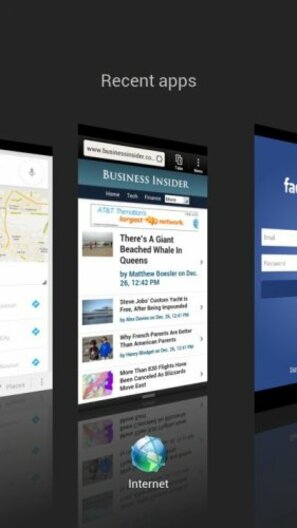
    Android is really good at helping you manage multiple apps at once. Tapping the multitasking key on your phone (it looks like two boxes) will let you cycle between open apps.
  • Tips and tricks for Android

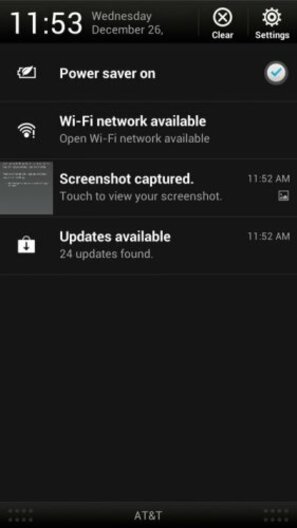
    If you swipe your finger from the top of the screen to the bottom, you'll get the notifications center. This area tells you when you have a new message, Facebook post, Twitter mention, etc.
  • Tips and tricks for Android

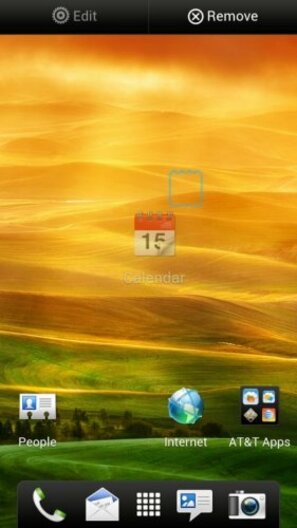
    If you want to delete an app from your home screen, tap and hold it for a second. Then drag it to the "Remove" button.
  • Tips and tricks for Android

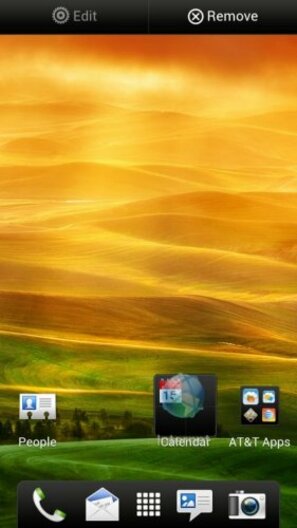
    You can store apps in folders by tapping and dragging them on top of each other.
  • Tips and tricks for Android

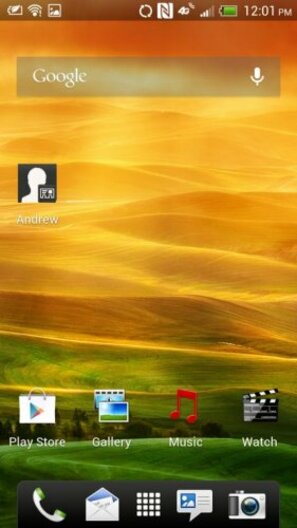
    You can also add shortcuts to your favorite contacts from the People app on your phone.

Published with permission from:

Business Insider
Business Insider is a business site with strong financial, media and tech focus.

Read next:

Comments (42 Comments)

  • Decent starter guide but I strongly disagree with No3. This means apps will update whenever they become available. If this is over a 3G connection you’re data allowance will soon be gone. You’ll still get notifications when updates are available but you can then wait till you’re using wifi to download.

    Reply
  • “Whenever you download a new app from the Google Play store, you should check the box that says “Allow automatic updating.” That way your apps will update to the latest version without asking permission. It’ll save you a lot of time”

    That’s a dumb tip. You shouldn’t check the automatic updates box by default. Updated version aren’t always the best option. Always read reviews before deciding whether or not you want to update.

    Reply
  • Log onto xda developers website and get root access. It allows you to get rid of apps built onto the phone. Set CPU and flash custom ROMS.

    Reply
  • Thumb up for Android, Thumb down for Iphone. Please vote. Android by a country mile.haha.

    Reply
  • I have s3 my hubby has I phone no comparison when it comes to screen size and graphics. s3 rules I phone drools!!

    Reply
  • I think I hate apple heads….. They think they are always right and that nothing out there could be as good (let alone better) than apple.
    Apple products are for people who cannot get their head around android os. “Ohhh that’s way too complicated.. Look how easy it is to use an iPhone”
    Apple for my parents.
    Android for me.

    Reply
  • Some really bad tips there. Don’t allow auto updates as the privacy settings etched can change. Don’t allow facebook to embed itself into your phone. You lose all privacy. You may as well just post your bank account details

    Reply
  • Ya Fizi, Google (Android) to the rescue again! Your getting a quality Android mapping experience on your iPhone now :D

    You either have a dodgy phone or you have installed dodgy apps. Jellybean operating system is very smooth and not at all laggy. Just look up any review for it

    Reply
  • My phone has a fantastic new function … Don’t know if Apple, google or any of the others have figured this one out yet . Keep it on the DL !!!
    By pressing a series of buttons I can TALK to my FRIENDS … do you understand those two words !!!

    Reply
  • Tip No. 8 is different on various Android versions, despite the caption saying its available on all, to the best of my knowledge. :) All Android phones come with this handy widget that lets you control Wi-Fi, brightness, and other basic functions right from your home screen. Use it!

    Reply
  • Tip #16
    You can use DLNA capabilities of your phone!
    Just install ArkMC application!

    Reply
  • 1 the best tricks is make your android phone disappear and get a iPhone

    Reply
  • Tip no 16. Take a picture of your android phone and get onto adverts or done deal. Then buy iPhone :>

    Reply
    • Only if you want to downgrade!

      Reply
    • Cooperguy: if you want to have a phone that just works and doesn’t choke to a stop when you start couple apps and web browser. Even quad core cpus don’t not help that android muck to be just smooth. Maybe with 6 or 8 cores and 4GB ram Android will be finally able to switch screens and apps without much hiccup :)
      Oh, and it takes them 50 attempts (various brands and models) to get the screen right, but still hasn’t seen anything crisper and clearer and of same or better finger tips responsivity than 2 years old now apple retina screen. Android – keep trying though, competition can only make Apple work harder and better :)

      Reply
    • Err Fizi everything you said there was rubbish. Unless you happen to be comparing a bargin basement android phone to a top of the range iPhone.

      HTC One x or Galaxy S 3 for example both run just as smooth as any iPhone with screens just as good. On top of that you get the extra features at a lower cost that comes with Android.

      iPhones “just work” for basics, Most of the time. Lets not forget when all iPhones lost their alarm function on the same day. That was a funny day at work. Lets also ignore their mapping functionality :)

      Reply
    • Cooperguy: I am based my experiences on galaxy note 2 if this is low range android phone then good luck, it’s faster than s3…
      And note2 is nowhere near smooth as iphone5, maybe only when you unpack it from the box. Load up 30 apps etc. and it starts lagging. Checked fact.
      I dare to think how low range android phone is must be dire experience then…
      And re google maps, check your facts right, there is official app for iPhone released back again like 2 weeks ago from google. So we are back sorted if you don’t like apple maps :)

      Reply
    • Gamma 27/12/12 #

      @fizi “competition can only make apple work better” oh no there’s a new phone out, quick sue them and try to have their product banned cos we haven’t a clue what we’re doing since Steve Jobs died!

      Apple are a company in a complete tailspin constantly releasing the same products with minor cosmetic changes.

      Reply
    • I don’t think i have ever had 30 apps opened at once.

      Reply
    • Gamma: why to fix something that isn’t broken?
      And where is this revolutionary product from competition?
      Maybe 1280×800 resolution screen in Samsung best Tablet (Note 10.1) ?
      Or perhaps that revolutionary battery in Htc One X that will not last one full day?
      LOL…
      I love when fandroids bash apple when their products have bible of drawbacks and issues themselves.

      Finally tell me how many jobs in Ireland are offered by Samsung or HTC?
      As far as I know Apple puts bread on many people table in Ireland though.

      Reply
    • Really you based it off the Note 2 did you???
      Oddly enough I dont recall being able to run two apps at the same time on a iPhone
      I also don’t recall being able to reply to someone on the journal, sms, email, Facebook, Twitter pretty much anything with my own hand writing which is then changed to text if I choose or sliding my finger over the letters on the keyboard or having a completely different on screen keyboard if I so wish on a iPhone.
      I also don’t recall any lag or reboots or anything on either my S2 or Note 2
      Oh sure it may not have iTunes, but then again I’m not thick, all I got to do is drag and drop all my music to my sd card if I want, without sacrificing space on my phone if I want to download some big games like Most wanted or Vice City.
      And lastly I don’t recall just having three or four options to share a website, photo, video, an application anything really, I have the choice of what I want to share it over. Don’t think the iPhone gives you that choice.
      Now if you don’t mind I gotta go back to catching the rest the news while watching a YouTube video.

      Reply
    • Google employ around 2000 in Ireland.

      Reply
    • Joseph: I wasn’t saying that iPhone 5 is better features packed than Note 2. I was saying it’s faster.
      And I stick with it.
      Note 2 as being probably best Android phone packs some deadly stuff indeed, probably best thing is whole S-Pen etc. But in fairness I did not find much use for most of the time.
      Split screen multitasking is nice, but rather quickly finishes off the battery, also even though the phone is big, probably still 2 small for comfortable split screen – Note 10.1 tablet makes here more sense re this feature.
      Don’t get me wrong, my first post was bit of windup for the reaction, but realistically I still prefer apple and their ios ecosystem. Less features than droid, but simpler, clearer, better myriad of apps (no arguing about this one, even tho android is catching up recently a lot – maybe another 1-2 years to match apple store) and does the job for me 100%. Enjoy your note2, good piece of technology anyway.

      Reply
    • Sluazcanal: and Apple employs even more than 2000 people in Cork, so what :)

      Reply
    • Gamma 27/12/12 #

      @fizi the Galaxy s3 has a super amoled display and boasts a 2100miah battery which is replaceable versus the 1800miah non replaceable battery you get with the iPhone. That’s before we talk about memory. Expandable or otherwise and convenience of having an industry standard micro usb connection for data transfer and charging rather then a pain in the hole “lightning” connection that will cost even more money should you want to keep your accessories from your old iphone

      Reply
    • You tellem! The sooner people realise that android is very slow and lagging and much more confusing to use (i’ve had an s3, so i should know) the better. Iphone FTW!

      Reply
  • any on battery maximization?

    Reply

Add New Comment