Business ETC uses cookies. By continuing to browse this site you are agreeing to our use of cookies. Click here to find out more »
Dublin: 10 °C Sunday 26 May, 2013

12 things you never knew you could do with your iPad

Some neat tricks you might not have known before…

THE IPAD IS a more capable device than a lot of people may realise.

Despite iOS being a scaled-down operating system, there are loads of features buried inside of it, and it’s robust enough to run some powerful apps on top of it.

These are our favorite features and capabilities (whether native or app-assisted) in our iPads.

12 things you never knew you could do with your iPad
1 / 12
  • Access your home computer and use it from anywhere in the world

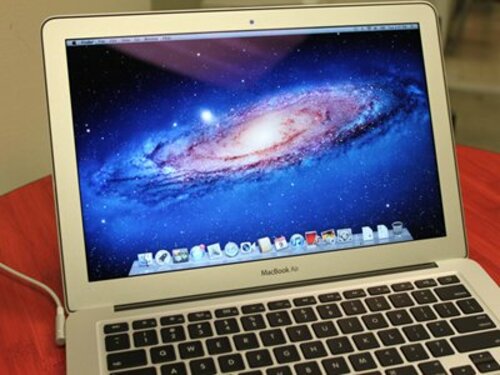
    We've been using and loving iTeleport (.99) as a means to access our computer at home while we're out and about with our iPad. Start and stop large downloads, email yourself files you need while you're mobile, or scare your family by playing music from an empty room. You'll come up with plenty of your own creative ways to use this app. (Dylan Love/Business Insider)
  • Enable private browsing

    Whatever business you're taking care of in Safari, you can keep it off the record by enabling private browsing. Start the Settings app and tap on "Safari." Under the Privacy setting, set the "Private Browsing" switch to the "on" position. Now all your web activity will be off the record.
  • Use it as a media remote

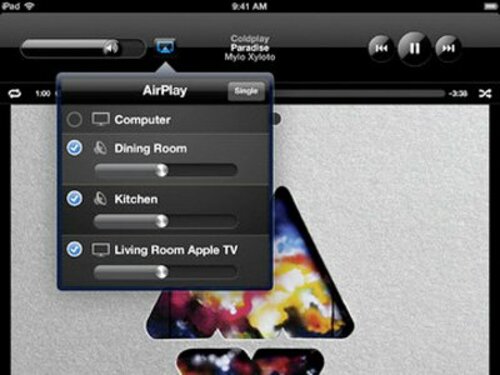
    Your iPad can control your computer or other AirPlay compatible device and act as a remote for controlling your music and video. Just make sure everything's on the same WiFi network. If you want to take advantage of this, pick up Apple's Remote app (free).
  • Remotely wake up your computer

    If you want to use the previously mentioned VNC software and your computer is set to go to sleep after a certain period of inactivity, you need to wake it up before remotely accessing it. A number of apps support a protocol called "Wake On LAN." All this means is that they can push a signal from your router to your computer to wake it up. Then you can fire up your VNC app to take care of whatever you like. We recommend iNet WOL (459546.99). (Jerry Bunkers/Flickr, CC)
  • Split the keyboard in half

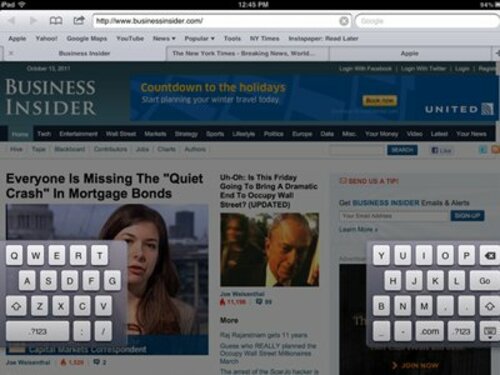
    Some people prefer the split keyboard arrangement for more ergonomic typing. To see if you want to use this layout instead, tap and hold the keyboard button in the bottom right and select the "Split" option from the menu that pops up.
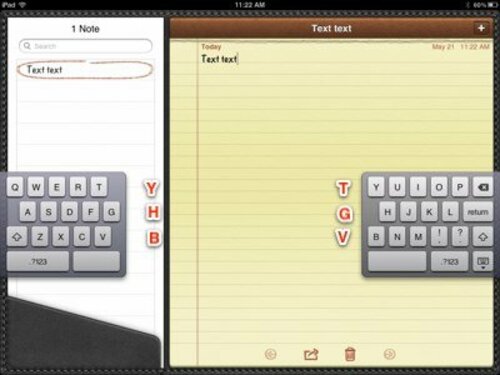
  • When the keyboard is split you have access to invisible keys

    With a split keyboard, some people prefer to type characters on the opposite side with the opposing hand. For these users, Apple has included some invisible keys -- check the picture to see what we mean
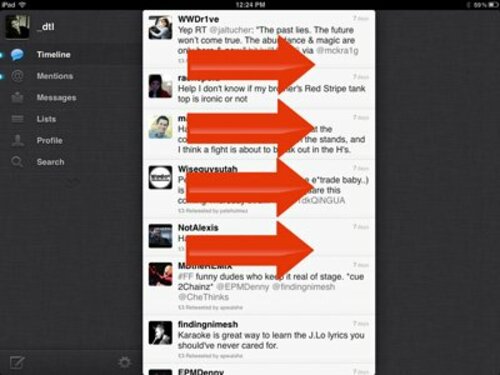
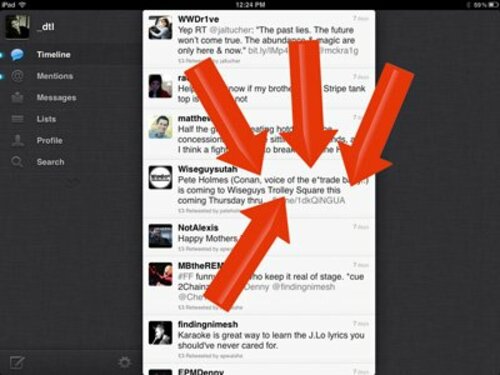
  • Switch between apps with a special gesture

    Instead of activating the multitasking bar and searching for a recently used app, you can make a four-finger swipe to the left or right to switch between your apps.
  • Get to the home screen without pressing the home button

    Similar to the four-finger gesture for switching between apps, a four-finger "pinch" will immediately return you to the home screen. We're not sure, but it feels like our iPad is more responsive to this gesture than to pressing the home button.
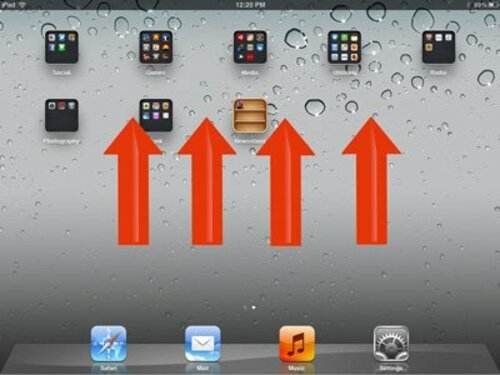
  • A faster way to reveal the multi-tasking bar

    Take four fingers and swipe them up -- you have faster access to the multitasking bar than you would by double-tapping the home button.
  • Two spaces make a full stop

    Double-tapping the space bar inserts a full stop. Use this little trick to make your typing on the iPad's virtual keyboard even easier.
  • Video out is easy to use

    Want to watch iPad video content on a larger screen? Send it to a television with Apple's HDMI cable. You can also use AirPlay if you have an Apple TV. (Squiggle/Flickr)
  • Read comic books

    There are a number of apps available for you to get your superhero fix. If you already have your own digital comic book files, use a standalone reader app like Comic Zeal. If you don't have any already, use an app that offers an in-app store to buy new comics. We recommend Comixology (free).

- Dylan Love, reproduced with permission from Business Insider

Read: Introducing the incredible 3D mapping technology heading for iPhones and iPads

Published with permission from:

Business Insider
Business Insider is a business site with strong financial, media and tech focus.

Read next:

Comments (30 Comments)

Add New Comment